Dashboard Overview

Explore the HT Bot dashboard and discover how automated options trading works

This comprehensive guide walks you through all the features, metrics, and controls available to help you manage your automated trading bots effectively.

Your Dashboard at a Glance

The dashboard provides a comprehensive overview of your trading activity, bot performance, and market conditions. Access it from desktop or mobile with full feature parity.

Dashboard Overview

Desktop View

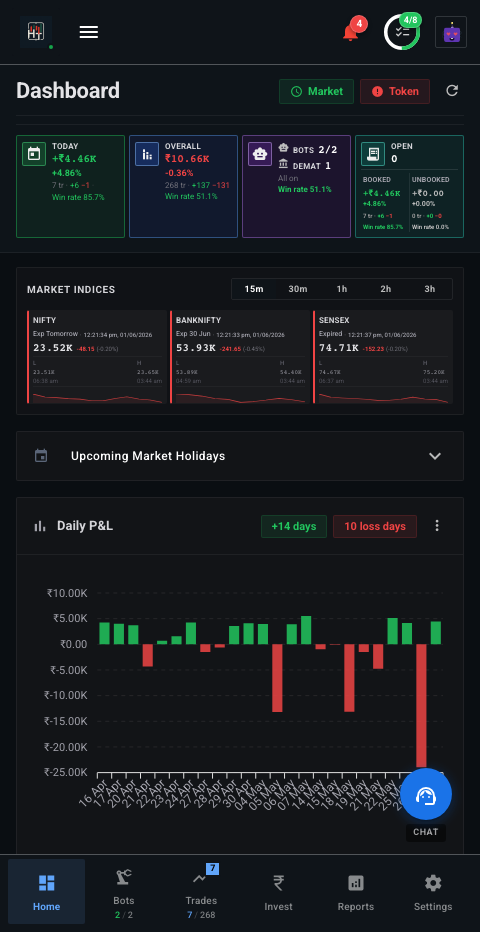
Mobile View

Key Metrics & Account Status

Monitor your trading performance and account health at a glance

Profit & Loss Tracking

The dashboard displays three essential P&L metrics to track your trading performance:

  • Unbooked P&L: Current unrealized profit or loss from open positions
  • Booked P&L: Realized profit or loss from closed trades
  • Net P&L: Total profit or loss combining both booked and unbooked amounts

Each metric shows capital invested, P&L amount in rupees, and percentage return. Toggle between "Today" and "Overall" views to see current trading day performance or all-time statistics.

Visual Indicators:

Green indicates profit, red indicates loss. This color coding helps you quickly assess performance across all metrics.

Account Status Badges

Status indicators highlight important account information that needs your attention:

  • Demat Accounts: Status of your connected trading accounts
  • Trading Bots: Total number of configured bots in your account
  • Active Bots: Number of bots currently running and executing trades
  • Market Status: Current market open/closed status
  • Access Token: Broker API token validation status
Important:

Red or warning indicators mean you should check and resolve the issue before trading. These badges help you maintain account health and prevent trading issues.

Real-Time Market Data & Analytics

Stay informed with live market updates and interactive performance charts

Market Snapshot

The dashboard provides real-time market data for major indices:

  • Nifty 50 & BankNifty: Live price updates with Last Traded Price (LTP), Net Change, and Percentage change
  • Visual Indicators: Green/red backgrounds indicate upward/downward price movements
  • Update Timestamps: Shows when the data was last refreshed for accuracy

Performance Charts

Interactive charts provide visual insights into your trading performance:

  • Bot P&L Chart: Cumulative profit & loss for all bots over time with Today/Overall toggle
  • Open Trades P&L Chart: Profit & loss specifically for currently open positions
  • Interactive Features: Hover over chart points to see detailed tooltips with exact values and timestamps

These charts help you identify trends, patterns, and performance improvements over time.

Bot Management & Configuration

Create, monitor, and manage your automated trading bots

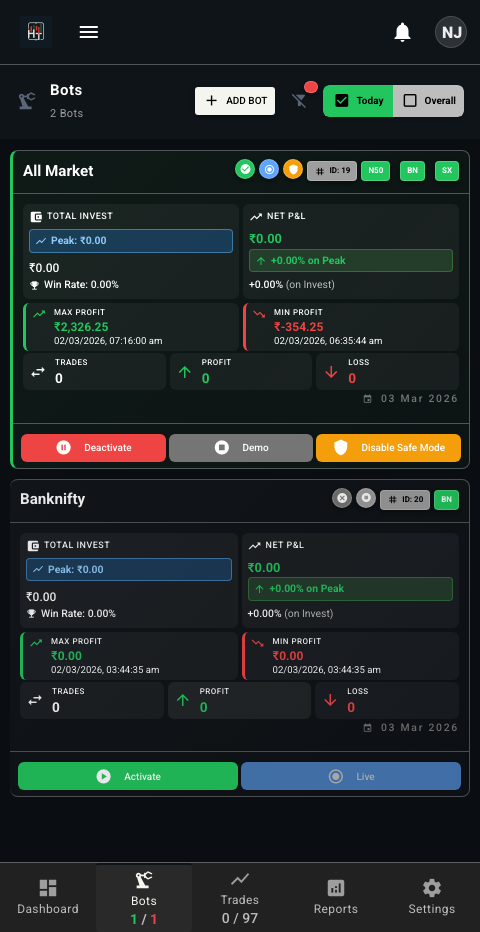
Bot List View

View and manage all your trading bots from a single interface. The bot list shows:

  • Bot name and status (active/inactive)
  • Current P&L and performance metrics
  • Quick actions to start, stop, or configure bots
  • Filter and search capabilities

Create new bots, monitor running bots, and configure strategies all from one place.

Bot List View
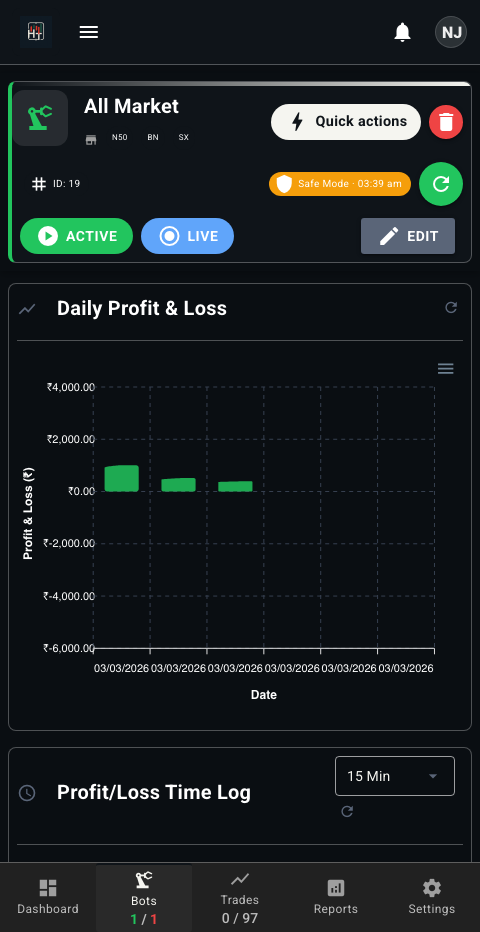
Bot View Details

Bot Details & Configuration

Each bot has a detailed view with comprehensive information:

  • Configuration: Strategy settings, risk parameters, and trading rules
  • Performance Metrics: P&L history, win rate, and trade statistics
  • Trade History: Complete list of all trades executed by the bot
  • Controls: Start, stop, pause, and modify bot settings

Use this view to fine-tune your bot's strategy and monitor its performance in detail.

Trade History & Analysis

Analyze your trades and learn from your trading history

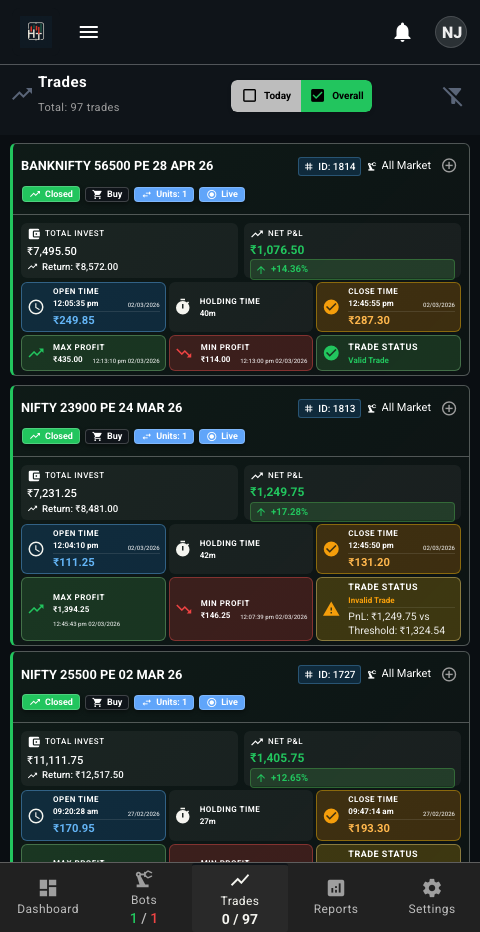
Trade History

Access complete trade history with powerful filtering and sorting:

  • Filter by date range, bot, strategy, or P&L
  • Sort by any column for quick analysis
  • View detailed analytics for all executed trades
  • Export trade data for external analysis

Use the trade history to identify patterns, improve strategies, and track performance over time.

Trade List View
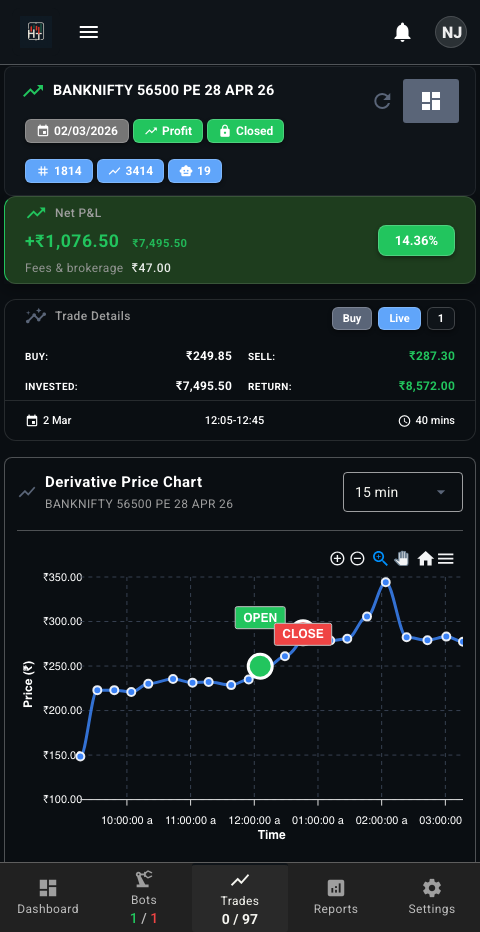
Trade View Details

Individual Trade Analysis

Dive deep into each trade with comprehensive analysis:

  • Entry/Exit Points: See exact entry and exit prices and timestamps
  • P&L Breakdown: Detailed profit/loss calculation with fees
  • Performance Metrics: Return percentage, holding period, and risk metrics
  • Strategy Context: Which bot and strategy executed the trade

Use this detailed view to understand what worked and what didn't, helping you refine your strategies.

Dashboard Features

Powerful tools to help you succeed in automated trading

📊

Real-Time Analytics

Monitor your bot's performance with live charts, profit/loss tracking, and detailed trade history. Get instant insights into your trading performance.

🤖

Bot Management

Create, configure, and manage multiple trading bots with different strategies and risk levels. Start, stop, or modify bots with a single click.

📈

Trade History

View complete trade history with detailed analysis, profit/loss breakdown, and performance metrics. Filter and search through thousands of trades.

⚙️

Strategy Configuration

Customize trading strategies, set risk parameters, and configure bot behavior to match your preferences and risk tolerance.

🔔

Notifications

Get instant alerts for trade executions, profit targets, stop-loss triggers, and important events via email, SMS, or Telegram.

📱

Multi-Platform Access

Access your dashboard from web, mobile app, or Telegram. Manage your bots from anywhere, anytime with full feature parity across platforms.

Dashboard Controls & Utilities

Essential tools for managing your dashboard experience

View Controls

  • Today/Overall Toggle: Switch between viewing today's performance or all-time performance across all metrics
  • Manual Refresh: Manually refresh all data and charts to get the latest information
  • Auto-Refresh: Automatic data updates at regular intervals to keep information current

Account Management

  • Token Validation: Check and fix broker API token issues directly from the dashboard
  • Fake Market/Backtest Section: Access paper trading and backtesting features for strategy testing without risking real capital
  • Top Performers: Quick view of best and worst performing bots and trades for analysis

Ready to Experience It Yourself?

Sign up for free and start paper trading today. No credit card required. Explore all dashboard features with virtual money before risking real capital.

Get Started Free